
It means the phone detected moisture in the charging path and is blocking charging as a protection step.
FAST REPAIR
Samsung Water Damage Repair in Sacramento
HomeSamsung Water Damage Repair in Sacramento: Fix Moisture Detected and Prevent Corrosion
Trusted by Sacramento customers
“The workmanship was quality and professional. I’ll send everyone there in the future and the price was reasonable.”
naochea — Google reviewer
“My phone was fully functional within two hours. Highly recommended! The price is fair, not expensive like other places I called.”
Lac Dang — Google Local Guide
“Done super quickly, fair pricing, and quality customer service!”
Fast Repair customer — Google reviewer
SACRAMENTO REPAIR SHOP
Walk In or Start With an Estimate
Walk-ins are welcome at 4424 Freeport Blvd, Suite 4. You can also request an estimate before your visit.
MOISTURE & LIQUID DAMAGE
Samsung Water Damage Repair in Sacramento
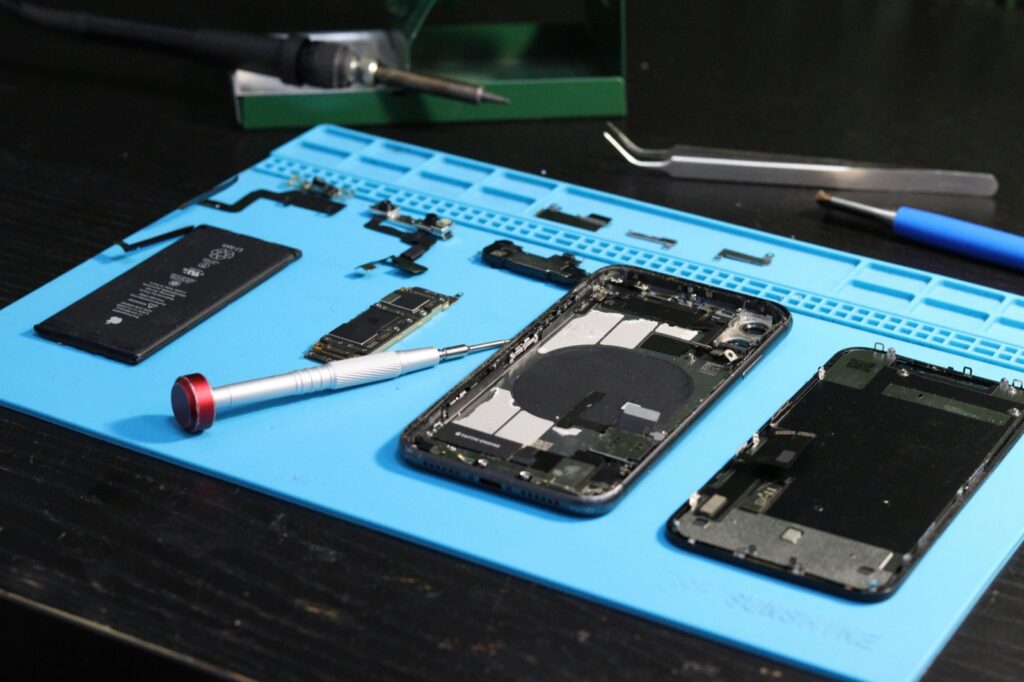
Fast Repair inspects Samsung Galaxy phones after moisture warnings, water-drop icons, blocked or unstable charging, overheating, boot loops, camera fog, audio problems, battery drain, and other liquid-exposure symptoms. We separate a limited charging-area issue from deeper corrosion or power damage.
Moisture & Corrosion Inspection
We document the exposure and inspect charging, power, battery, camera, audio, display, sensor, and corrosion symptoms.
Data-First Repair Guidance
We explain whether limited service, deeper diagnostics, data recovery, or replacing the device is the practical next step.
WHAT WE DIAGNOSE
Common Samsung Water-Damage Symptoms
Moisture Detected Warning
The water-drop icon or moisture alert blocks charging to protect a wet or contaminated charging path.
Charging Stays Blocked
The phone will not charge, starts and stops, or works only with wireless charging after exposure.
Heat, Restarts or Boot Loops
Unstable power behavior can indicate a problem beyond simple port moisture.
Camera Fog or Failure
Moisture appears inside a lens or camera functions become intermittent.
Speaker or Microphone Problems
Audio becomes muffled, distorted, quiet, intermittent, or unavailable.
Fast Battery Drain
The battery depletes unusually fast or the phone shuts down after the liquid event.
DEVICE INSPECTION
Safe First Steps After Samsung Liquid Exposure
Power the Phone Off
Turn the Galaxy off when it is safe and avoid repeated power-on testing.
Stop Charging Attempts
Do not keep forcing cables, adapters, or rapid plug-in tests while a moisture warning is active.
Remove the Case
Take off a wet case and easy-to-remove accessories so moisture is not trapped near ports or speakers.
Dry the Outside Gently
Use a soft cloth on the exterior without heat, compressed air, shaking, or forcing debris into the port.
Allow Time & Airflow
Give the device and port area time to dry naturally; do not try to speed it up with heat.
Record What Happened
Note the liquid type, exposure duration, charging attempts, and symptoms that followed.
DO NOT WAIT
Signs the Problem Is Bigger Than the Charging Port
Warning Does Not Clear
A persistent moisture warning after conservative drying can indicate residue, contamination, or port damage.
Charging Is Unstable
Repeated start-stop charging or cable-angle behavior needs inspection instead of more forced attempts.
Phone Overheats
Heat during light use or charging attempts can indicate a broader battery or power problem.
Camera or Audio Changes
Fogged cameras, muffled speakers, or microphone failures suggest the exposure reached other systems.
Boot Loops or Freezing
Restarts, freezes, and startup loops move the case beyond a simple moisture alert.
Battery Drains Rapidly
Abnormal drain after exposure can indicate ongoing power loss, corrosion, or battery damage.
FOUR CLEAR STEPS
Our Samsung Water-Damage Intake Process
1. Stop Power & Charging
Keep the Galaxy off and disconnected from chargers while the condition is assessed.
2. Document the Exposure
We record the liquid, timing, charging attempts, moisture warnings, and symptoms that followed.
3. Inspect Affected Systems
We review port condition, corrosion risk, battery, power, audio, camera, display, sensors, and device stability.
4. Approve the Next Step
We explain limited service, deeper diagnostics, data priorities, repair limits, and realistic costs before work.
RESIDUE CAN REMAIN
Why Drying Is Not the Same as Repair
A Galaxy can feel dry while contamination or corrosion continues affecting the charging path and other components. Rice, heat, compressed air, and repeated cable testing do not remove internal residue and can make the situation worse.
If the warning persists or symptoms spread, the right next step is inspection rather than another DIY drying attempt.
REALISTIC EXPECTATIONS
Cost, Timing, Data & Repair Limits
Samsung liquid-damage outcomes depend on the liquid type, exposure duration, charging attempts, corrosion, and systems affected. Inspection is necessary before anyone can responsibly promise a price, timing, or data outcome.
A repaired phone is not made waterproof again, liquid-damage work carries more uncertainty than routine repairs, and future moisture exposure is not a normal warranty issue. Tell us at intake when data is the priority.
COMMON QUESTIONS
Samsung Water Damage Repair FAQs
No. Repeated charging attempts while moisture or contamination is present can make the damage worse.
Yes. The port can still contain moisture, residue, or contamination even when the outside feels dry.
If it persists after conservative drying and time, the phone should be inspected instead of repeatedly tested.
Sometimes, but timing depends on whether the issue is limited to the charging area or affects several systems.
Sometimes, but not always. Tell us at intake when the data matters so the repair path can prioritize it.
Sugary, salty, dirty, or contaminated liquids can leave more conductive and corrosive residue than clean water.
Bring the phone, any charger involved if behavior changed, and accurate details about the liquid, timing, and symptoms.
CONTINUE READING
Repair Guides & Helpful Pages
Phone Water Damage Repair
Review the broader liquid-damage intake process and common symptoms after phone exposure.
Samsung Phone Repair
Review screen, battery, charging, camera, housing, and broader Galaxy repair options.
Samsung Repair Overview
Browse the complete Samsung Galaxy repair family and common service paths.
Fast Repair Warranty
Review eligible coverage, exclusions, and liquid-damage limitations.
- Need prompt help with a moisture warning or liquid-exposed Samsung Galaxy?