
You can, but the iPad is more exposed to worsening breakage, cuts, and moisture. Repair before the damage spreads is safer.
FAST REPAIR
iPad Screen Repair in Sacramento
HomeiPad Screen Repair in Sacramento
Trusted by Sacramento customers
“The workmanship was quality and professional. I’ll send everyone there in the future and the price was reasonable.”
naochea — Google reviewer
“My phone was fully functional within two hours. Highly recommended! The price is fair, not expensive like other places I called.”
Lac Dang — Google Local Guide
“Done super quickly, fair pricing, and quality customer service!”
Fast Repair customer — Google reviewer
SACRAMENTO REPAIR SHOP
Walk In or Start With an Estimate
Walk-ins are welcome at 4424 Freeport Blvd, Suite 4. You can also request an estimate before your visit.
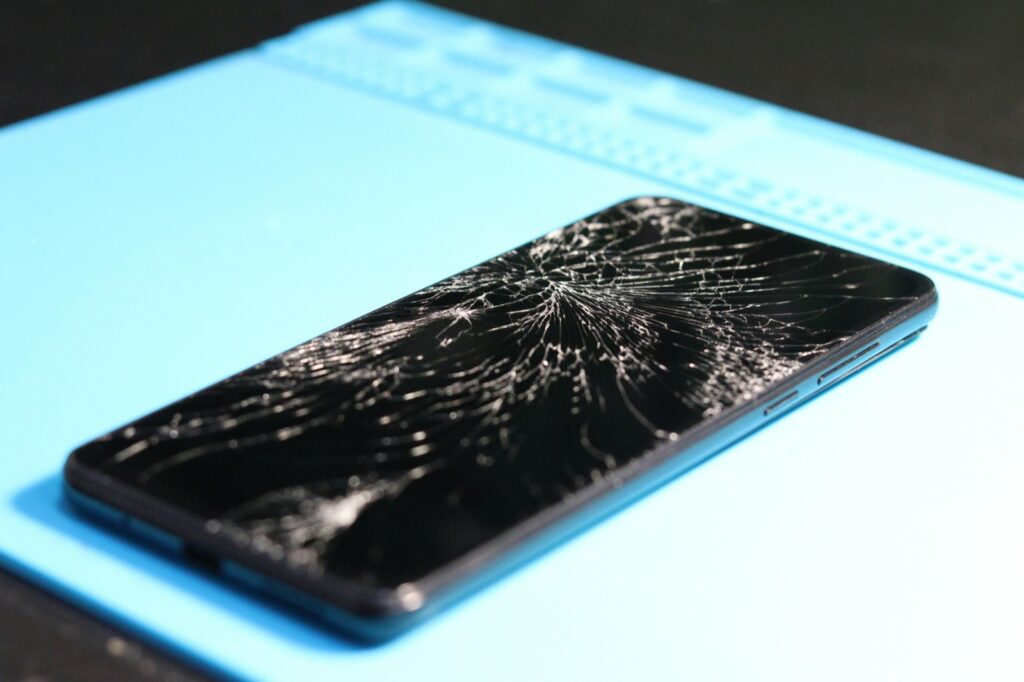
IPAD DISPLAY REPAIR
iPad Screen Repair in Sacramento
Fast Repair handles cracked iPad glass, touch failure, ghost touch, black spots, lines, image loss, lifted screens, and bent-frame fit problems on supported iPad models. We inspect whether damage is limited to glass or includes the touch layer, display, housing, or battery.
Glass, Touch & Display Diagnosis
We identify whether the repair involves outer glass, the touch layer, the LCD or OLED display, housing fit, or battery swelling.
Model-Specific Recommendation
Different iPad models separate and combine screen parts differently, so the correct repair begins with the exact model.
WHAT WE DIAGNOSE
Common iPad Screen Problems
Cracked Glass with Image
The front glass is broken while the image and touch still appear to work.
Touch Failure
Part of the screen stops responding or touch fails across the full display.
Ghost Touch
The iPad registers unwanted or erratic input without a deliberate touch.
Black Spots or Lines
Visible LCD or OLED damage appears after pressure, bending, or impact.
Lifted or Separating Screen
Impact, adhesive failure, or battery swelling pushes the screen away from the body.
Bent Housing
A distorted frame prevents a clean fit and can increase repeat-break risk.
DEVICE INSPECTION
What Changes the iPad Screen Recommendation
Glass-Only vs. Display Damage
Stable image and touch indicate a different repair from black spots, lines, no image, or broad touch failure.
Exact iPad Model
Some models separate glass and display parts while others use different integrated assemblies.
Touch Stability
Full-screen testing confirms whether the touch layer is reliable before and after repair.
Housing Condition
A bent or twisted enclosure can interfere with fit, adhesives, and repair durability.
Battery Swelling
A swollen battery can lift the screen and must be addressed instead of simply resealing the display.
Prior Repair Work
Earlier parts, adhesive, or fitting work can change the current screen repair and device condition.
DO NOT WAIT
When the iPad Screen Needs Faster Attention
Screen Is Lifting
A separating display can indicate battery swelling and should not be pressed back down.
Touch Is Failing
Dead areas or ghost touch can interfere with passcodes, backups, and safe use.
Black Spots Are Spreading
Growing display damage can turn a partly usable iPad into a no-image device.
Lines or Flicker Increase
Worsening image instability indicates damage beyond a simple visible crack.
Housing Is Bent
Frame distortion changes fit and can place pressure on the replacement screen.
Important Data Is at Risk
Back up the iPad when possible and seek inspection if screen access is becoming unstable.
FOUR CLEAR STEPS
Our iPad Screen Repair Process
1. Confirm Model & Damage
We identify the iPad and determine whether the issue affects glass, touch, image, or the full screen assembly.
2. Inspect Housing & Battery
We check frame condition, screen fit, battery swelling, and prior repair before quoting the job.
3. Approve the Repair
We explain the correct part, price, expected timing, adhesive work, and applicable warranty.
4. Repair & Test
After approved work, we test image, touch, fit, and normal iPad operation before pickup.
CAREFUL FIT & ADHESIVE WORK
iPad Screen Repair Timing Expectations
Some iPad screen repairs move quickly when the correct part is available. Others need additional time for careful opening, adhesive preparation, curing, housing correction, and full touch or image testing.
The exact model, part availability, bent housing, battery swelling, and hidden display damage determine the realistic turnaround.
THE CORRECT SCREEN PATH
Why Glass vs. Display Damage Matters
Cracked outer glass with stable image and touch is different from an iPad with black spots, colored lines, flicker, no image, or broad touch failure. Different models also combine screen layers differently.
Fast Repair confirms the damaged layers and housing condition before approval so the replacement fits correctly and restores stable image and touch.
COMMON QUESTIONS
iPad Screen Repair FAQs
Usually yes. Black spots, lines, flicker, or no image point to damage in the display layer rather than only the outer glass.
Yes. A bent frame can prevent proper fit and raise the risk of screen pressure or repeat breakage.
CONTINUE READING
Repair Guides & Helpful Pages
General iPad Repair
Review battery, charging, display, touch, housing, liquid, and power repair options.
iPad Battery Replacement
See why battery swelling can lift a screen and change the repair path.
iPad Repair Overview
Browse the iPad and tablet service family and common repair paths.
Fast Repair Warranty
Review eligible repair coverage, exclusions, and the warranty-support process.
- Need an iPad glass, touch, or display diagnosis?
Need help separating cracked glass from display damage?
Some iPad screen problems are limited to broken glass, while others involve the digitizer or LCD. This guide walks through the symptom patterns so you know what usually changes the repair path.