
Yes. Packed debris can prevent the cable from seating fully and mimic port failure.
FAST REPAIR
Charging Port Repair in Sacramento
HomeCharging Port Repair in Sacramento
Trusted by Sacramento customers
“The workmanship was quality and professional. I’ll send everyone there in the future and the price was reasonable.”
naochea — Google reviewer
“My phone was fully functional within two hours. Highly recommended! The price is fair, not expensive like other places I called.”
Lac Dang — Google Local Guide
“Done super quickly, fair pricing, and quality customer service!”
Fast Repair customer — Google reviewer
SACRAMENTO REPAIR SHOP
Walk In or Start With an Estimate
Walk-ins are welcome at 4424 Freeport Blvd, Suite 4. You can also request an estimate before your visit.
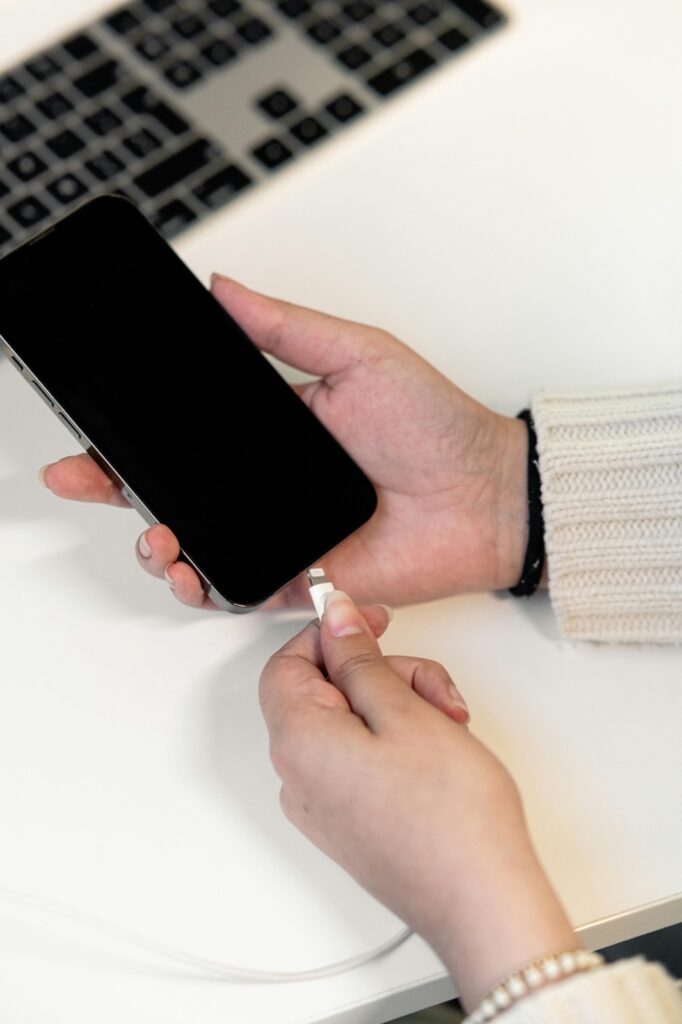
CHARGING DIAGNOSIS & REPAIR
Charging Port Repair in Sacramento
Fast Repair diagnoses loose cable fit, packed debris, intermittent charging, damaged connectors, liquid exposure, battery failure, and deeper charging-circuit faults before recommending cleaning or replacement.
Diagnosis Before Replacement
We test cable fit and charging behavior first because debris, the battery, charger, software, and board faults can mimic a damaged port.
Clear Repair Recommendation
You receive the verified repair path, price, timing, parts availability, and applicable warranty before work begins.
WHAT WE DIAGNOSE
Common Charging-Port Symptoms
Cable Will Not Seat Fully
Pocket lint or physical damage prevents the connector from fitting normally.
Charges Only at an Angle
Movement changes contact and charging starts or stops.
Intermittent or Slow Charging
The connection drops, current is unstable, or charging is much slower than expected.
Visible Port Damage
Pins, the internal tongue, housing, or connector position looks bent or loose.
No Charge With Known-Good Accessories
Multiple tested cables and adapters do not produce a stable response.
Problem After Impact or Moisture
A drop, forced cable, or liquid exposure changed the charging behavior.
DEVICE INSPECTION
What Changes the Charging-Port Repair Path
Professional Cleaning
Compacted debris may block full cable contact without requiring a replacement part.
Connector Replacement
Bent contacts, broken housing, looseness, or impact damage can require a new port assembly.
Battery & Accessory Test
A worn battery, weak adapter, or failed cable can create the same complaint.
Charging-Circuit Diagnosis
Board-level power, USB, filter, or control faults may remain after the port tests normally.
Liquid & Corrosion Inspection
Moisture can affect the port and surrounding circuits, changing the repair path.
Device-Specific Construction
Phones and tablets use different port assemblies, soldering methods, and parts.
DO NOT WAIT
When Charging Trouble Is More Urgent
Cable Must Be Forced
Stop forcing the plug; repeated pressure can turn debris or wear into connector damage.
Pins Look Bent or Burned
Disconnect the charger and avoid further testing.
Device Gets Hot While Charging
Unplug it and have the battery and charging path inspected.
Liquid Reached the Port
Power the device off and do not charge it to test whether it still works.
Charging Cuts In and Out
Repeated connection cycling can worsen heat and electrical stress.
Port Is Loose in the Housing
Movement can damage solder joints, pads, flex cables, or the board.
FOUR CLEAR STEPS
Our Charging-Port Repair Process
1. Confirm the Symptom
We document cable fit, charging current, recent impact, moisture, and accessory history.
2. Inspect & Test
We check the port, known-good accessories, battery response, and related charging systems.
3. Approve the Repair
We explain cleaning, replacement, or deeper diagnosis with price and timing.
4. Repair & Final Test
After approved work, we test stable charging, cable fit, data connection when applicable, and normal device operation.
PARTS AND DIAGNOSIS SET THE TIMELINE
Charging-Port Repair Timing
Professional cleaning and common port assemblies may be handled quickly when the device and parts are available. Liquid exposure, board damage, prior repairs, or an integrated connector assembly can require more diagnosis and testing.
Bring the cable and adapter that show the symptom when practical.
THE SYMPTOM DOES NOT CHOOSE THE PART
Cleaning, Replacement, or Deeper Repair?
Cleaning is appropriate when packed debris prevents full contact. Replacement is more likely when the connector is physically damaged or loose. A normal-looking port with unstable power may require battery or board-level diagnosis.
Fast Repair confirms the cause before promising one answer.
COMMON QUESTIONS
Charging Port Repair FAQs
Weak current, battery trouble, a charging-circuit fault, or unstable port contact can cause that symptom.
Test one known-good cable and adapter, but do not keep forcing a plug into a port that feels wrong.
CONTINUE READING
Repair Guides & Helpful Pages
Charging-Port Cleaning vs. Replacement
Learn how cable fit, debris, damage, and circuit symptoms change the repair path.
Phone Water-Damage Repair
Review safe first steps and professional liquid-damage diagnosis.
Start My Repair Estimate
Share the device model, charging symptom, and recent impact or moisture details.
Visit Fast Repair
Get directions, store hours, and Sacramento walk-in information.
- Need help with a loose, damaged, or non-working charging port?