If you need Samsung water damage repair in Sacramento, the most common mistake is treating the moisture warning like a cable problem instead of a safety warning. On many Galaxy phones, the `moisture detected` message or water-drop icon is the phone telling you not to keep pushing electricity through a wet charging path.
That does not always mean the whole phone is ruined. Sometimes the issue stays limited to the charging area. Sometimes it is only the first visible sign of deeper exposure. The point of a good Samsung water-damage page is to help customers separate those two situations quickly.
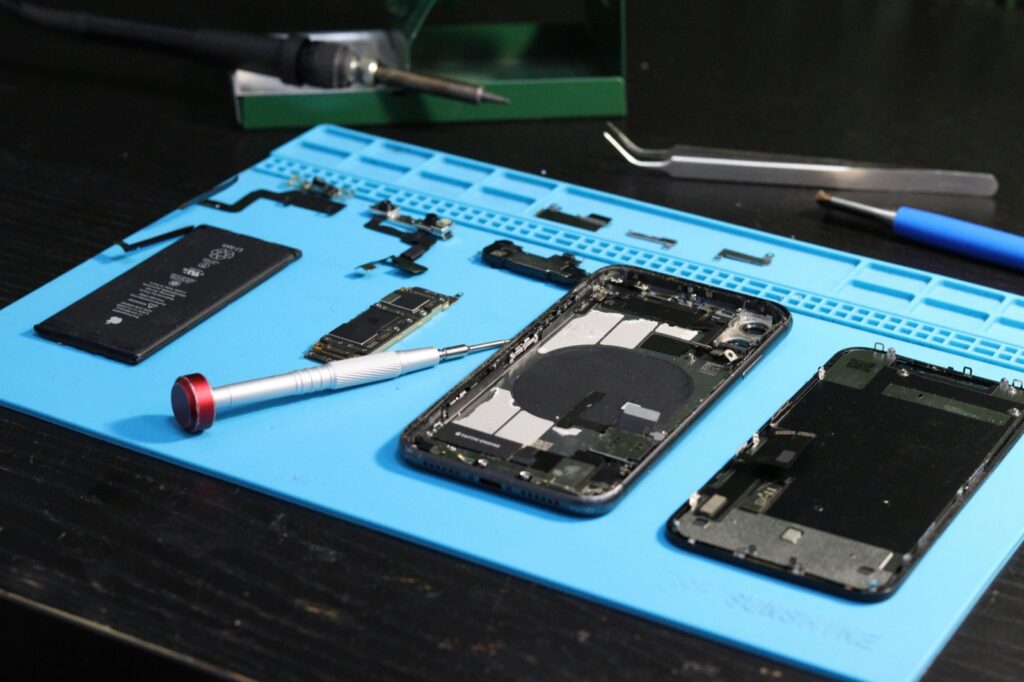
Samsung water damage repair in Sacramento often starts with one symptom
Galaxy owners often search after seeing one of these problems:
- `moisture detected` warning
- water-drop icon in the charging area
- charging blocked even after the phone feels dry
- phone only charging wirelessly
- boot loops, overheating, or unstable charging after exposure
- camera fogging or speaker distortion after rain, sink, or drink exposure
Those are not all the same repair. A port that stays blocked is different from a phone that already shows power instability, heat, or board-level symptoms.
Why Samsung blocks charging when moisture is detected
Samsung phones treat moisture detection as a protection step. Charging may be blocked because pushing power through a wet port can create more damage.
That is why the right first-hour response is conservative:
- power the phone off
- dry the outside carefully
- avoid forcing different cables repeatedly
- avoid rapid plug-in testing every few minutes
- let the device and port area dry with time and airflow
Customers often make the problem worse by cycling chargers, adapters, and cables in frustration. If the warning will not clear, that is the time for inspection, not more forced charging attempts.
Immediate Samsung water-damage steps that are actually safe
If the phone got wet and now shows charging or moisture issues:
- turn it off
- remove the case if it traps moisture near the port or speakers
- dry the exterior only
- do not use heat to speed things up
- do not keep trying multiple cables over and over
- bring it in if the warning remains or other symptoms start appearing
The goal is not to prove the phone is alive. The goal is to avoid converting a limited moisture issue into corrosion or deeper power damage.
Signs the problem is bigger than just the charging port
A Galaxy phone with simple connector moisture behaves differently from one with deeper liquid damage. These symptoms are more serious:
- warning remains long after careful drying
- charging starts and stops repeatedly
- the phone overheats during light use or charging attempts
- speakers sound bad or microphones stop working normally
- cameras fog from the inside
- the phone restarts, freezes, or loops on startup
- the battery drains abnormally fast after the incident
When those symptoms stack together, the job is no longer about clearing a warning message. It becomes a real water-damage intake.
What we check during Samsung water-damage intake
A useful Samsung intake should answer the questions that affect outcome:
- was it water, rain, sweat, drink spill, or another liquid?
- did the customer keep charging it while the warning was active?
- is the problem still limited to the port or already affecting other systems?
- how long has it been happening?
Then the inspection should look at:
- port condition and contamination risk
- corrosion signs
- battery and charging stability
- speaker, microphone, and camera behavior
- whether the phone is a basic repair candidate, a deeper diagnostic case, or a poor-value repair
This is where honest shops separate a simple moisture issue from a phone that already crossed into bigger failure territory.
Why drying the phone is not the same as solving the phone
A Galaxy can feel dry and still have a problem. Liquid leaves behind contamination. Residue and corrosion can keep affecting the charging path or deeper components even after obvious moisture is gone.
That is why repeated DIY drying attempts sometimes waste the most important time. The real question is not whether the outside feels dry. The real question is whether the exposure already changed the way the phone charges, powers on, or communicates with important parts.
Samsung water damage repair in Sacramento: costs and turnaround
This page should not pretend every Galaxy water-damage case has one price or one timetable. The variables matter:
- how long the phone stayed exposed
- what liquid got inside
- whether charging was forced while wet
- whether the damage stayed limited to the port
- whether the phone now shows broader instability
Some devices end up needing limited work. Others become more time-sensitive diagnostic cases. Customers should hear that early instead of being promised an easy fix before the device is inspected.
Warranty, repair limits, and customer expectations
Samsung water-damage repair should be explained clearly:
- repairing the phone does not mean it is waterproof again
- water-damage jobs carry more uncertainty than routine screen or battery work
- later moisture exposure is not the same as a normal warranty issue
That aligns with the existing Fast Repair warranty position and sets realistic expectations before work starts.
Prevention advice that actually matters
The best prevention advice for Galaxy owners is specific:
- do not ignore the moisture warning and keep forcing the charge
- do not assume a different cable will make the problem safe
- do not keep the phone in a wet case or damp pocket
- do not wait until the warning becomes a no-power phone
- if the phone carries important data, say that early at intake
Sacramento next steps
If you need Samsung water damage repair in Sacramento, the page should help you make one clear decision fast: stop trying to force the charge, then get the phone inspected if the warning persists or the symptoms spread.
That is how you keep a limited moisture problem from turning into a more expensive corrosion problem.
FAQ
What does the water-drop icon or moisture warning mean?
It means the phone detected moisture in the charging path and is blocking charging for protection.
Should I keep trying different cables?
No. Repeated charging attempts while the phone still thinks moisture is present can make the situation worse.
Can moisture detection happen even if the phone feels dry?
Yes. The port area may still have moisture or residue even when the outside of the phone seems dry.
What if the warning will not go away?
If it persists after conservative drying and time, the phone should be inspected instead of repeatedly tested.
Can you fix Samsung water damage the same day?
Sometimes, but it depends on whether the issue is limited or already affecting multiple systems.
Is data usually safe?
Sometimes yes, but not always. If the data matters, say that at intake so the repair path is prioritized correctly.
What liquids are worst?
Anything with contamination or residue, such as sugary or dirty liquid, can create more cleanup risk than plain water.
What should I bring in?
Bring the phone, any charger involved if charging behavior changed, and clear details about what liquid got on it and what happened next.
