
No. Keep it disconnected from power until it has been inspected. Charging can worsen damage in wet or contaminated areas.
FAST REPAIR
iPhone Water Damage Repair in Sacramento
HomeiPhone Water Damage Repair in Sacramento: What To Do Now and When To Bring It In
Trusted by Sacramento customers
“The workmanship was quality and professional. I’ll send everyone there in the future and the price was reasonable.”
naochea — Google reviewer
“My phone was fully functional within two hours. Highly recommended! The price is fair, not expensive like other places I called.”
Lac Dang — Google Local Guide
“Done super quickly, fair pricing, and quality customer service!”
Fast Repair customer — Google reviewer
SACRAMENTO REPAIR SHOP
Walk In or Start With an Estimate
Walk-ins are welcome at 4424 Freeport Blvd, Suite 4. You can also request an estimate before your visit.
LIQUID DAMAGE
iPhone Water Damage Repair in Sacramento
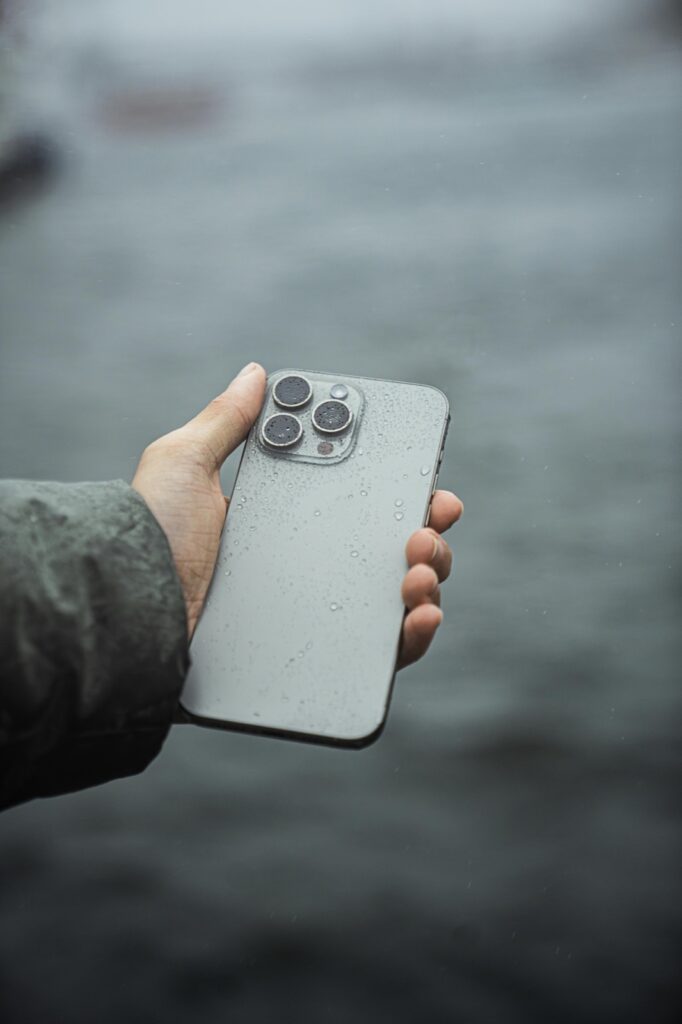
Fast Repair inspects liquid-exposed iPhones for charging, power, display, camera, speaker, microphone, sensor, battery, and corrosion problems. Even when the phone still works, delayed symptoms can appear as moisture and residue affect internal connections.
Liquid-Damage Inspection
We document the exposure and inspect the areas most likely to affect safe power, charging, data access, and repair decisions.
Data-First Repair Guidance
We explain whether cleaning, part repair, board-level work, data recovery, or device replacement is the practical next step.
WHAT WE DIAGNOSE
Common Symptoms After Liquid Exposure
Charging Problems
A Liquid Detected alert, no charge, slow charging, or charging only at a certain cable angle.
Muffled Sound
Speakers or microphones become quiet, distorted, intermittent, or stop working.
Camera Fog or Failure
Moisture appears under a lens or a camera stops focusing or opening correctly.
Heat or Restarts
The phone becomes unusually warm, restarts, shuts down, or drains the battery quickly.
Sensor or Button Issues
Face ID, buttons, proximity sensing, vibration, or other controls become unreliable.
Display Problems
Lines, flickering, touch failure, black spots, or a blank display appear after exposure.
LIMIT THE DAMAGE
What to Do in the First 10 Minutes
Power the Phone Off
Turn the iPhone off when it is safe to do so and avoid repeated power-on testing.
Do Not Connect a Charger
Charging can energize wet or contaminated areas and increase the risk of further damage.
Remove the Case
Take off the case and any easy-to-remove accessories so trapped moisture can escape.
Dry the Outside Gently
Use a soft cloth on the exterior without shaking the phone or forcing liquid deeper inside.
Skip Repeated Feature Tests
Do not keep testing Face ID, speakers, cameras, buttons, or charging to see whether they recover.
Record What Happened
Note the liquid type, exposure duration, and whether the phone was powered or charged afterward.
DO NOT WAIT
What We Check During Intake
Charging Port & Connections
We inspect the port, cable behavior, contamination, and related charging symptoms.
Corrosion & Board Areas
Visible corrosion and board-level symptoms help define whether cleaning or deeper repair is realistic.
Battery & Power
We check heat, shutdowns, battery behavior, and safe power conditions before extended testing.
Speaker & Microphone
Audio paths are checked for muffling, distortion, intermittent behavior, and moisture-related faults.
Display, Camera & Sensors
We review image, touch, camera fog, Face ID, proximity sensing, and button symptoms.
Repair, Data, or Replacement
The inspection guides whether repair, data recovery, or replacing the device makes the most sense.
FOUR CLEAR STEPS
Our iPhone Liquid-Damage Process
1. Stop Power & Charging
Keep the iPhone off and disconnected from chargers until the condition can be assessed.
2. Document the Exposure
We record the liquid type, duration, timing, charging attempts, and symptoms that followed.
3. Inspect the Device
We inspect affected systems and explain the likely repair, data, and cost priorities.
4. Approve the Next Step
No major work begins until the customer understands the realistic options and approves a path.
AVOID COMMON MISTAKES
Skip Rice, Heat, and DIY Drying
Rice does not remove contamination from inside the phone, and heat can damage adhesives, batteries, displays, and other components. Do not use an oven, hair dryer, compressed air, or sharp tools in the charging port.
Drying is not the same as repair. Water, soda, salt water, and other liquids can leave conductive or corrosive residue after visible moisture disappears.
REALISTIC EXPECTATIONS
Cost, Timing, Data & Repair Limits
Liquid-damage outcomes depend on the liquid type, exposure duration, active power, charging attempts, corrosion, and which systems are affected. Inspection is necessary before anyone can responsibly promise a price, completion time, or data outcome.
A repaired phone is not made waterproof again, future liquid exposure is not covered, and hidden corrosion can create later problems. If data is the priority, tell us at intake so the repair plan can reflect that goal.
COMMON QUESTIONS
iPhone Water Damage Repair FAQs
Rice does not remove internal contamination and can add debris. Keep the phone off, dry the exterior gently, and seek inspection.
Yes. Moisture and residue can create delayed corrosion, charging, audio, camera, display, sensor, battery, or power problems.
Disconnect the cable, do not override the warning, allow airflow, and avoid repeated charging attempts. Seek inspection if the alert or other symptoms continue.
Sometimes, depending on the damage and storage condition. Tell us immediately when data is the priority so the diagnostic path can reflect that goal.
As soon as practical after powering it off and disconnecting chargers. Faster intake can reduce repeated power and charging attempts.
Coverage depends on the work performed and documented terms. Future liquid exposure and problems caused by ongoing hidden corrosion are not covered.
Bring the iPhone and describe the liquid, exposure time, symptoms, charging attempts, and whether data recovery is a priority.
CONTINUE READING
Repair Guides & Helpful Pages
Phone Water Damage Repair
Review the broader water-damage intake process for phones and common post-exposure symptoms.
First 30 Minutes After Water Damage
Follow practical steps that reduce avoidable power and charging damage after exposure.
Fast Repair Warranty
Review eligible repair coverage, exclusions, and liquid-damage limitations.
Contact Fast Repair
Call or visit the Sacramento shop when a liquid-exposed phone needs prompt intake.
- Need prompt help with a liquid-exposed iPhone or a data-priority inspection?